- A new, smarter Start Page in the Lexplore Portal
- Timeline, tips & guides, Lexplore Academy and book spotlight in one place
- Bug fixes and improvements
🧭 A smarter Start Page
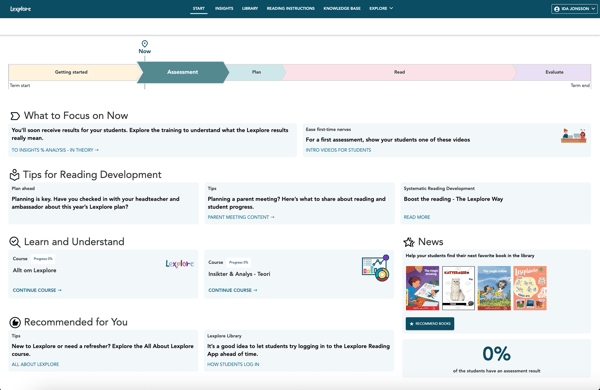
The new Start Page helps guide you through the Lexplore year with clear steps and inspiration:
- Timeline – see where you are in the school year and what’s coming next
- Tips & guides – get the right support at the right time
- Lexplore Academy – quick access to your next course
- Book spotlight – discover great books from the library
The goal is to make your work easier, and to help you and your students get the most out of Lexplore.
👉 What to expect:
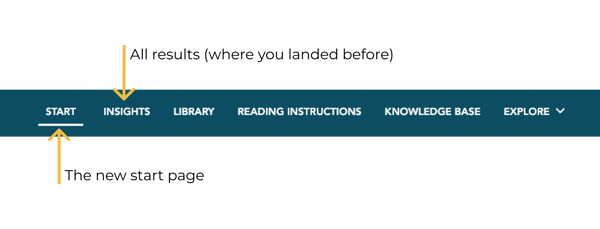
From now on, when you log in to the Lexplore Portal you will land here first. You can always return to this page by pressing START in the top menu.
🛠 Bug fixes & improvements
We’ve also fixed several smaller issues and made improvements to keep Lexplore running smoothly.
🔮 What’s next
This is just the beginning. Behind the scenes, we’re preparing more updates that will make Lexplore more powerful and easier to use.
💬 Have thoughts or questions?
Feel free to reach out - we’d love to hear from you.
📩 ida.jonsson@lexplore.com
Let’s take the next step together,
Ida Jonsson, Head of Product